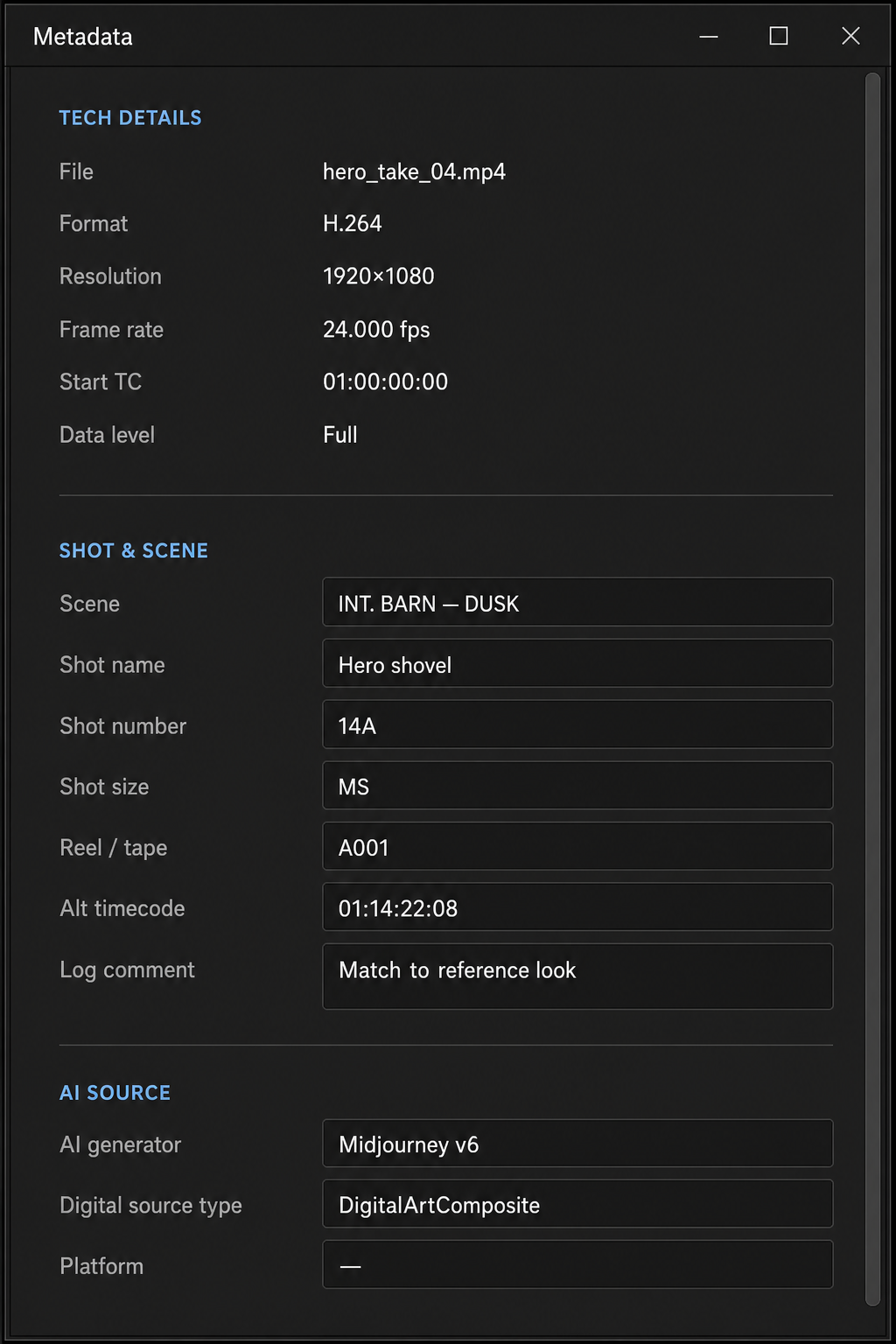
Metadata is the glue that holds the plumbing together — from camera and format facts through AI lineage to post-production labels. In Transduce it is a first-class citizen, not a spreadsheet afterthought.
Finishing is not only pixels. Editorial downstream needs to know what a clip is, where it came from, and how it was made — especially when half the plate is generative. Transduce treats the major metadata families as part of the same pipeline as grade, resize, and export.
Compatible with industry packaging expectations. Extensible through open module and container architecture. Customizable per clip so your house labels ride with the media you deliver.
Four pressures every finishing tool eventually hits — metadata is where they meet.
First-class across the families that matter to production — camera / tech, format, AI source, and post — not a claim that every arbitrary tag on earth is auto-preserved.
| Family | Examples | Role in the pipeline |
|---|---|---|
| Camera / tech | Resolution, frame rate, start timecode, data level, container format, file identity | Read-only Tech Details — the factual plate of what landed in the clip list |
| Format information | Codec / wrapper identity, platform heuristics, delivery path (MP4, MOV, OpenEXR, …) | How Transduce opens media and how export packages meaning back out |
| AI source | AI generator, Digital Source Type — entered by you for the handoff | Editable AI Source fields. Generators generally do not embed this; Transduce does not auto-detect it. You label lineage so downstream knows. |
| Post-production | Scene, Shot name / number / size, Reel / tape, Alt timecode, Log comment | Editable Shot & Scene — editorial labels that should survive the handoff |
View → Metadata Panel (Ctrl+Alt+M). Separate what is measured from what you author.
File, format, resolution, frame rate, start TC, data level — camera and format facts for the loaded clip.
Post-production fields: scene, shot, reel, alt TC, log comment — customized per clip for the conform.
AI generator and Digital Source Type — you fill them. No auto-detect today; most generators do not embed this. Author it once so the deliverable carries lineage.
Metadata leaves Transduce as part of finishing — authored from the clip record into supported packages.
| Delivery | What goes out |
|---|---|
| MP4 / MOV | Standard XMP via ExifTool when available — CreatorTool, IPTC Digital Source Type, relevant xmpDM shot fields |
| OpenEXR | Selected native and custom clip attributes (e.g. reel, frame rate, editorial fields supported by the EXR path) |
| Honest limits | This is first-class authoring into deliveries — not a promise that every source EXIF/XMP blob is blindly passed through unchanged |
Finish the image. Carry the meaning. Let metadata hold the plumbing together.